圧縮
gzip形式
-z
|
1 |
$ tar zcvf foo.tar.gz ./foo |
|
1 |
$ tar zcvf foo.tgz ./foo |
|
1 |
$ sudo /sbin/route add -net 163.141.100.0/24 163.141.1.1 |
(註)再起動のたびに静的ルーティングの設定は失われる
|
1 |
$ vi /path/to/script |
|
1 2 |
#!/bin/sh /sbin/route add -net 163.141.100.0/24 163.141.1.1 |
|
1 |
$ sudo defaults write com.apple.loginwindow LoginHook /path/to/script |
|
1 |
$ sudo defaults read com.apple.loginwindow LoginHook |
|
1 |
$ sudo defaults delete com.apple.loginwindow LoginHook |
Mac OS X: ログインフックを作成する
https://support.apple.com/ja-jp/HT2420
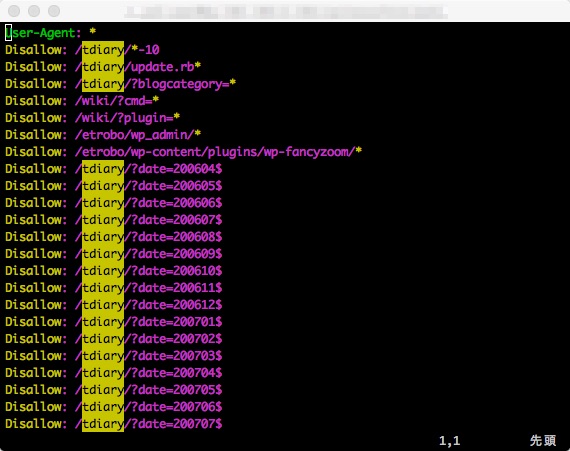
vi(vim)にて検索結果をハイライト表示している状態
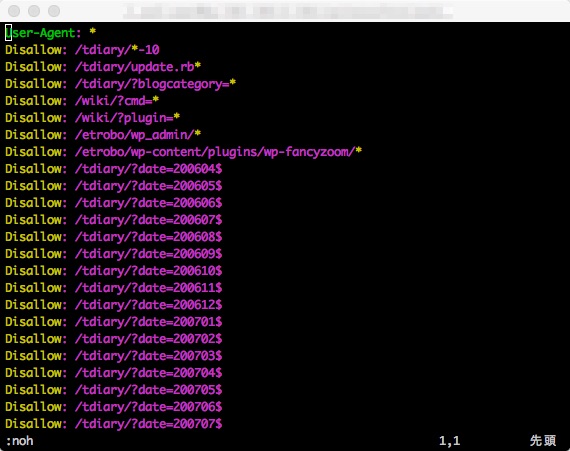
:nohで検索を解除できる。
|
1 2 3 4 |
$ gem update Updating installed gems ERROR: While executing gem .. (ArgumentError) invalid byte sequence in UTF-8 |
|
1 |
$ LANG=C.BINARY gem update |
|
1 |
$ LANG=C.BINARY gem install thread |
|
1 |
$ ssh-keygen -F xxx.xxx.xxx.xxx |
|
1 2 3 4 |
# Host xxx.xxx.xxx.xxx found: line 5 type RSA xxx.xxx.xxx.xxx ssh-rsa AAA6OhgkZa0L6XDnmHE0NaBprr0VHhSjQ4bEtj j/hVXLSQqMBkigKGI7AbcgAB3NzaC1yc2EAAAADAQABAAABAQC2ytDRUlU4fZB 6OmcwJuhaiZElYEYcDy7p1/MR5wqRPhk5T34yQrVlsb2utNWRHRTwG50kbrAkK |
|
1 |
$ ssh-keygen -R xxx.xxx.xxx.xxx |
|
1 2 3 |
# Host xxx.xxx.xxx.xxx found: line 5 type RSA /Users/Ichiro/.ssh/known_hosts updated. Original contents retained as /Users/Ichiro/.ssh/known_hosts.old |
Commandボタン ⌘ を押しながら、ドラッグ&ドロップする。
Optionボタン ⌥ を押しながら、ドラッグ&ドロップする。
Command ⌘ + c
Command ⌘ + v
|
1 2 |
clean: rm *.o |
"clean"という名前のファイルやディレクトリがなければ問題ない。しかし、(たまたま)"clean"という名前のファイルまたはディレクトリが存在すると rm *.o というコマンドは実行されない。
|
1 2 3 4 |
.PHONY: clean clean: rm *.o |
"clean"という名前のファイルやディレクトリの存在如何に関わらず、 $ make clean を実行すればmakeコマンドは期待の動作をする。
|
1 2 |
FOO_MODULE: $(MAKE) -C ./foo_dir |
以下の記述と等価
|
1 2 |
FOO_MODULE: cd ./foo_dir && $(MAKE) |
|
1 2 |
FOO_DEFINES = -DBAR_DEFINE export FOO_DEFINES |
または
|
1 |
export FOO_DEFINES = -DBAR_DEFINE |
環境変数を介して呼び出し先のMakefileのFOO_DEFINESに値が反映される。
|
1 |
git archive --format=tar.gz --prefix=FOO/ HEAD -o foo.tar.gz |
|
1 |
git archive --format=zip --prefix=BAR-1_4_0/ v1.4.0 -o bar.zip |
--prefix
.gitignoreなどアーカイブファイル(tar.gzやzip)から除外したいファイルの設定方法
⇒ .gitattributesにignore-exportを追記する
|
1 2 |
.gitignore export-ignore .gitattributes export-ignore |